Facebook has spent years building one of the most detailed profiles on every person who has ever logged in - your contacts, your location history, your ad interests, your login patterns, the pages you manage, and the businesses you've interacted with. When you decide to delete your account, the question isn't just "is the account gone?" - it's "what happens to all of that data?"
This article breaks down exactly what Facebook (Meta) retains, what gets erased, what the 30-day grace period means, and what it means for your business if you're considering closing a Facebook Business Page or personal account.
lockConcerned About Your Business Data Security?
While managing personal accounts is important, your business data security is critical. Unlike social platforms you don't control, a custom website puts you in charge of your data, security policies, and customer privacy.
At Devv Plug Tech, we build secure, Nigerian-hosted websites and custom solutions that:
- check_circleKeep your business data under YOUR control
- check_circleMeet data protection compliance requirements
- check_circleScale with your business without platform limitations
- check_circleProtect your customer information with enterprise-grade security
For the wider picture of what happens when you delete accounts across other platforms - WhatsApp, Telegram, AI chat tools - read our complete guide on deleted accounts and your data. This is the Facebook-specific deep dive.
Facebook Deletion vs. Deactivation: Two Very Different Things
Facebook offers two options that look similar but are fundamentally different:
| Action | What happens | What stays |
|---|---|---|
| Deactivate | Your profile becomes invisible to others; you can't be tagged, messaged, or found in search. You can reactivate at any time by simply logging back in - everything is restored exactly as you left it | All your data: photos, posts, messages, friends list, page admin roles, ad account access. Nothing is deleted. The account is just "paused." |
| Delete (permanently) | Facebook begins a permanent deletion process after a 30-day grace period. After the window closes, the account and its core data are removed from Facebook's active systems | Copied/derived data retained for legal, backup recovery, and aggregated analytics purposes (more below) |
The distinction matters because many businesses "deactivate" thinking they've deleted - and their data, photos, posts, and ad accounts are all still live on Meta's servers, just behind an invisible profile.
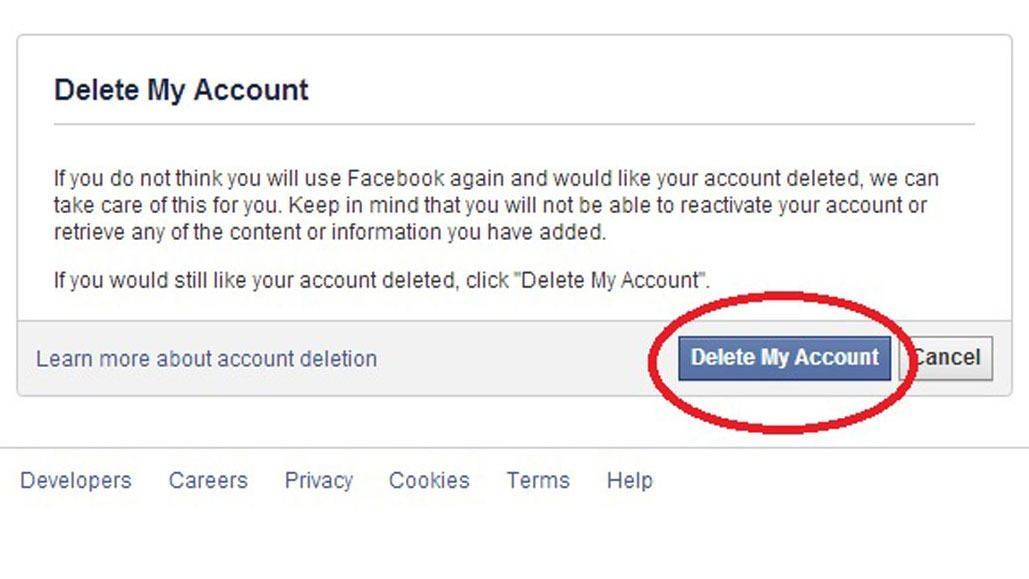
What Happens During the 30-Day Grace Period
When you submit a deletion request, Facebook doesn't erase everything immediately. Instead:
- Your account enters a 30-day waiting period. During this time, your profile is still technically on Facebook's servers but is deactivated - invisible to other users.
- You can cancel the deletion at any time during those 30 days by logging in and clicking "Cancel Deletion." If you do, your account is fully restored with all its data intact.
- After 30 days, the deletion becomes irreversible. Facebook begins removing your account data from its active systems - your profile, posts, photos, videos, and friend connections are scheduled for permanent erasure.
- The full process can take up to 90 days to complete after the 30-day window closes. Facebook states that during this period, your data is being progressively purged from their backup systems and data centres.
If you're a business owner who has second thoughts, the 30-day window is your safety net. After that, there's no recovery.
What Gets Permanently Deleted
After the full deletion process completes, the following data is removed from Facebook's active systems:
- Your profile (name, photo, cover image, bio)
- All posts you authored (status updates, links, photos, videos, check-ins)
- Your friends list and friend connections
- Photos and videos you uploaded
- Comments and reactions you made on others' content
- Your Messenger conversation history (on Facebook's side)
- Pages you created (unless another admin is assigned - see below)
- Groups you created (unless another admin is assigned)
What Facebook (Meta) Keeps After Deletion
This is the part most people miss. Even after permanent deletion, Meta retains certain data:
| Data type | How long it's kept | Why |
|---|---|---|
| Aggregated, de-identified analytics data | Indefinitely | Facebook strips your name and identifying details, then folds your data into aggregate metrics (e.g., "X users in Nigeria clicked ads about technology in Q2") |
| Log data (IP addresses, login timestamps, device info) | Varies - typically retained for security and legal periods, often up to 180 days or longer | Fraud prevention, abuse detection, and legal compliance |
| Records related to legal matters or law enforcement requests | Per legal retention requirements | If your account was subject to a legal hold or investigation before deletion, those records persist |
| Backup copies | Up to 90 days after deletion (overlaps with the 30-day grace + 90-day purge window) | Facebook keeps backup copies for disaster recovery; these are eventually overwritten in the normal backup rotation cycle |
| Ad-related data in aggregated form | Indefinitely | Meta's ad performance analytics retain aggregated, non-identifiable engagement metrics |
| Data retained by third parties | Unknown - depends on the third party | If an app, website, or business used Facebook Login or the Facebook Pixel to collect data about you, that data sits in their own systems and isn't deleted by deleting your Facebook account |
The last point is critical for businesses: if you had the Facebook Pixel installed on your website, the pixel data collected during your account's lifetime is stored in your own analytics systems - deleting your Facebook account doesn't retroactively scrub pixel events from your own database.
What Meta Keeps vs. Deletes — At a Glance
| Data type | What happens when you delete your Facebook account |
|---|---|
| Posts, photos, profile | Hidden immediately, permanently removed after the 30-day grace period |
| Messages you sent to others | Stay on the recipient's account/device, deletion does not reach them |
| Ad and analytics data | Aggregated/de-identified versions may be retained indefinitely |
| Payment records | Retained for up to 5 years for legal/tax compliance |
| Content used for AI training | Cannot be removed retroactively once training happened |
What Happens to Your Facebook Business Page and Ad Account
If you're a business owner, deleting your personal Facebook account has cascading effects:
-
If you're the sole admin of a Business Page: the page itself remains (Facebook doesn't delete pages when the creator's personal account is deleted), but it becomes orphaned - no one can manage it. You'll need to assign a new admin before deletion or the page will be uneditable. Facebook may eventually unpublish orphaned pages.
-
If you're a Page admin with other admins: the page continues normally under the remaining admins. Your admin role is simply removed.
-
If you manage ad accounts: your ad account access is revoked. Active ad campaigns may continue running if billing is set up via a business entity (Meta Business Suite), but you personally lose all access. Campaigns tied solely to your personal account will be paused.
-
If you use Facebook Login on your website: any users who authenticated via Facebook Login on your site will need to re-authenticate or lose access. If your own developers used Facebook Login to access your app's backend, those credentials are invalidated.
What Your Friends and Contacts Still See After Deletion
- Your Messenger conversations remain visible to the other person. Deleting your Facebook account does not remove messages from the recipient's inbox. Your name will appear as "Facebook User" (a generic placeholder) instead of your real name, but the message content is fully readable.
- Photos and posts you were tagged in by others remain. Tags may be de-identified (your name removed), but the content itself stays on the original poster's timeline.
- Comments you left on public pages or groups remain. Your username is replaced with "Facebook User," but the comment text persists unless you manually delete each comment before account deletion.
Practical Steps If You're Deleting a Business-Tied Facebook Account
Before you delete, take these steps to protect your business:
-
Download your Facebook data. Go to Settings > Your Facebook Information > Download Your Information. Select all categories and request a full archive. This gives you a permanent offline record of posts, messages, photos, ad activity, and profile data.
lightbulbLooking for custom web development or AI solutions in Nigeria? Check out our services or get a free consultation.
-
Assign new Page admins. If you manage a Business Page, add at least one other trusted admin before deletion so the page isn't orphaned.
-
Download your ad account reports. If you've run Facebook ads, export all campaign performance reports from Ads Manager before deletion. Once your account is gone, historical ad data tied to your personal account is inaccessible.
-
Remove the Facebook Pixel from your site (if closing the business). If you're winding down entirely, remove the pixel code from your website to stop collecting new event data.
-
Notify customers who use Facebook Login on your site. If your website offers "Log in with Facebook," inform your users that they'll need to set up an alternative login method.
-
Manually delete old comments and tags if you're concerned about lingering public content. Facebook's bulk deletion tools are limited, so this is a manual process - but it's the only way to remove your comments from public pages before account deletion.
The Bigger Picture
Facebook is one of the most data-hungry platforms you'll ever interact with, and "deleting" your account is more nuanced than it sounds. For the complete picture of what happens when you delete accounts across WhatsApp, Telegram, AI chat tools, and more, read our full guide: Are Deleted Accounts Really Gone?.
Frequently Asked Questions
Does Facebook delete my data immediately when I delete my account?
No. Facebook gives you a 30-day grace period during which you can cancel the deletion by logging back in. After 30 days, the deletion becomes irreversible and Facebook begins removing your data from its active systems. The full purge process can take up to an additional 90 days to complete across all backup systems.
What is the difference between deactivating and deleting a Facebook account?
Deactivating makes your profile invisible but keeps all your data on Meta's servers and you can reactivate at any time by logging back in. Deleting permanently removes your account and core data after a 30-day grace period with no option to recover it afterward.
Does Facebook keep my data after account deletion?
Yes, partially. Meta retains aggregated and de-identified analytics data indefinitely, log data for security and legal periods, backup copies for up to 90 days, and any records tied to legal matters. Your personally identifiable profile data is removed, but derived and aggregated data persists.
What happens to my Facebook Business Page if I delete my personal account?
If you are the sole admin, the page remains but becomes orphaned and no one can manage it. If other admins exist, the page continues normally and your admin role is removed. Always assign a new admin before deletion if the page should continue operating.
Do my Messenger messages disappear when I delete my Facebook account?
Your Messenger conversation history is removed from Facebook's servers, but the messages remain visible in the other person's inbox. Your name will appear as Facebook User, but the full message content is still readable to them.
What happens to my Facebook ad account when I delete my personal account?
Your ad account access is revoked. Active campaigns may continue if billing is through a business entity, but you personally lose all access. Campaigns tied solely to your personal account will be paused. Export all ad performance reports before deletion.
Can I cancel my Facebook account deletion?
Yes, but only during the 30-day grace period. Log in and click Cancel Deletion and your account is fully restored with all data intact. After 30 days, the deletion becomes permanent and irreversible.
Not sure what your business's digital footprint looks like across Facebook and beyond? Devv Plug Tech runs full digital-presence and privacy audits for Nigerian businesses - book a consultation.